Let’s face it: naming a website is hard, and choosing the wrong one can quietly tax your business for years.
Unlike your logo or homepage, your domain is one of the few things you can’t easily change later without some complex search engine optimization (SEO) gymnastics or technical know-how.
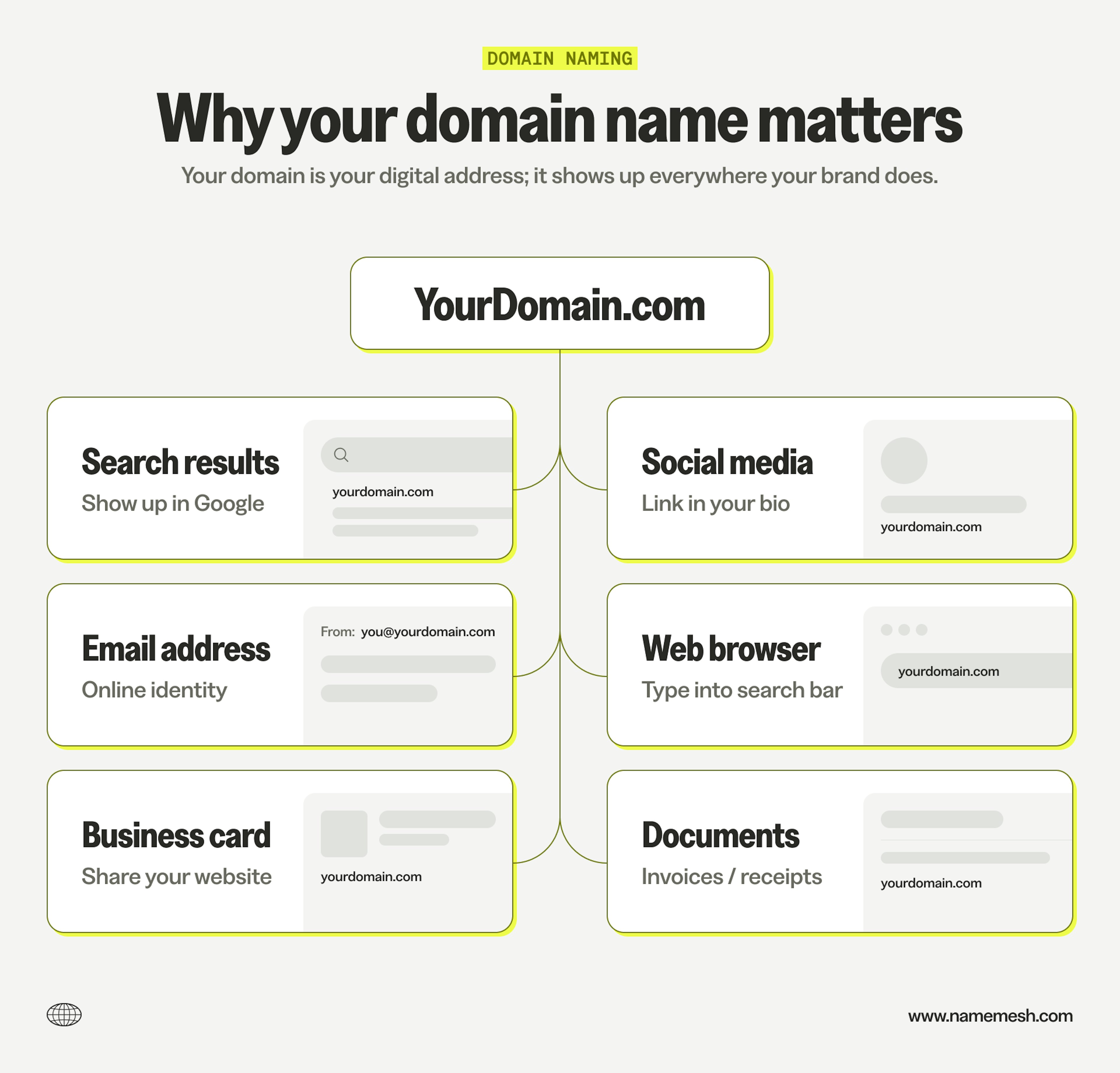
I’ve bought and sold domains for over a decade and named multiple companies. The truth? There’s no “perfect” name. There are, however, plenty of ways to make the wrong choice. The goal is to avoid those and pick something you can actually build on.
This guide covers what actually matters:
- How to choose between brandable and keyword domains
- Which top-level domain (TLD) to pick
- What to do when your ideal .com is taken
- How to brainstorm and vet names before you buy.
Let’s get into it.
What makes a good domain name?
Domain naming is more art than science (like my degree in architecture). To find a good domain, you need to evaluate it on two levels:
- Is it objectively good
- Is it right for you?
Let's start with the objective part—here’s how I would evaluate any domain:
Keep it simple
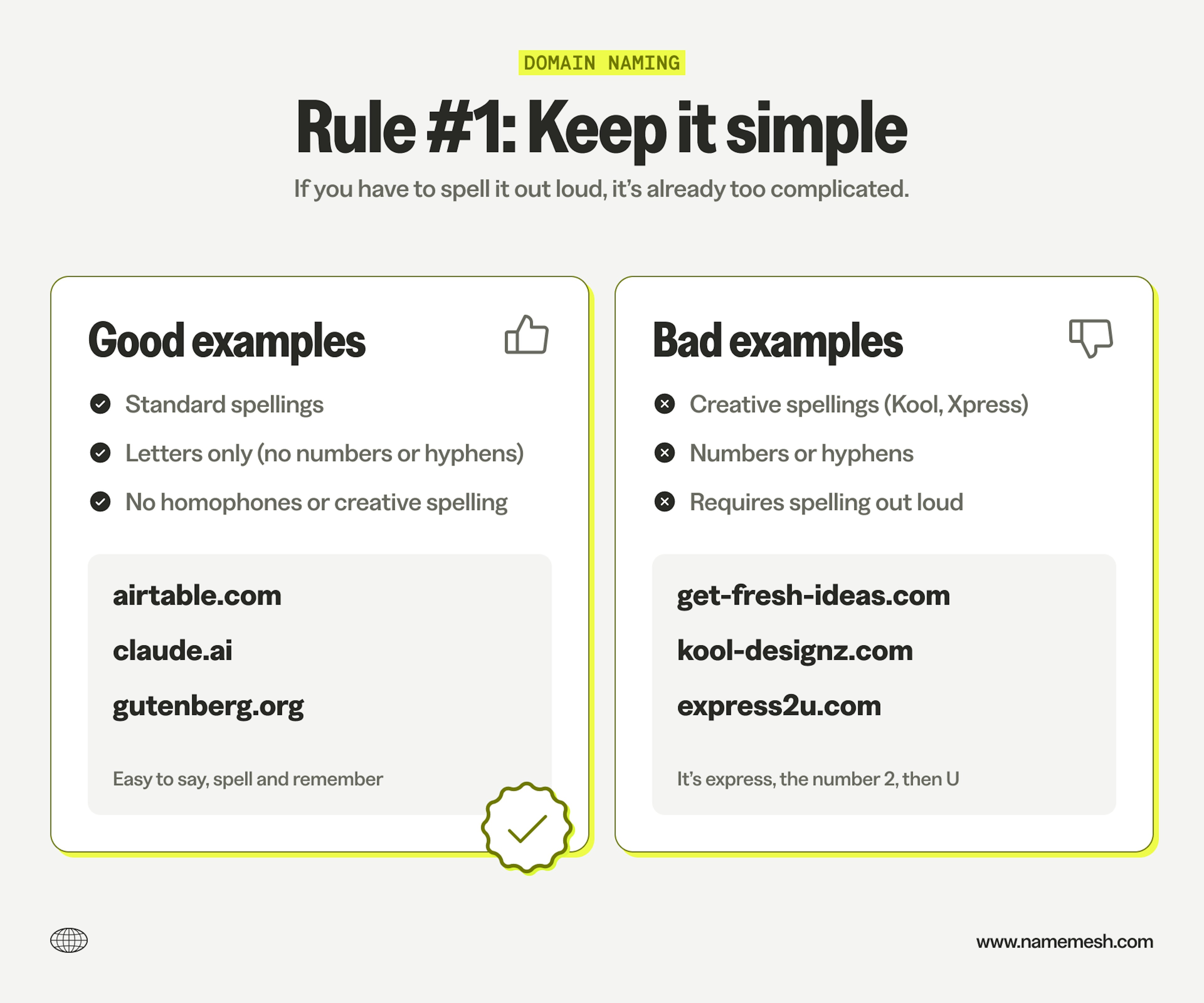
The radio test: Say your domain out loud to a friend. Can they type it correctly without asking you to spell it? If you have to say “it’s X but with a Y”, that’s a problem.
Checklist:
- Use standard spellings everyone knows
- Stick to letters only (no numbers, no hyphens)
- Avoid homophones (their/there) or creative spelling (kool, xpress)
Good: Stripe.com, Notion.so, Figma.com
Bad: Get-fresh-ideas.com, Kool-Designz.com, Express2u.com
Make it memorable
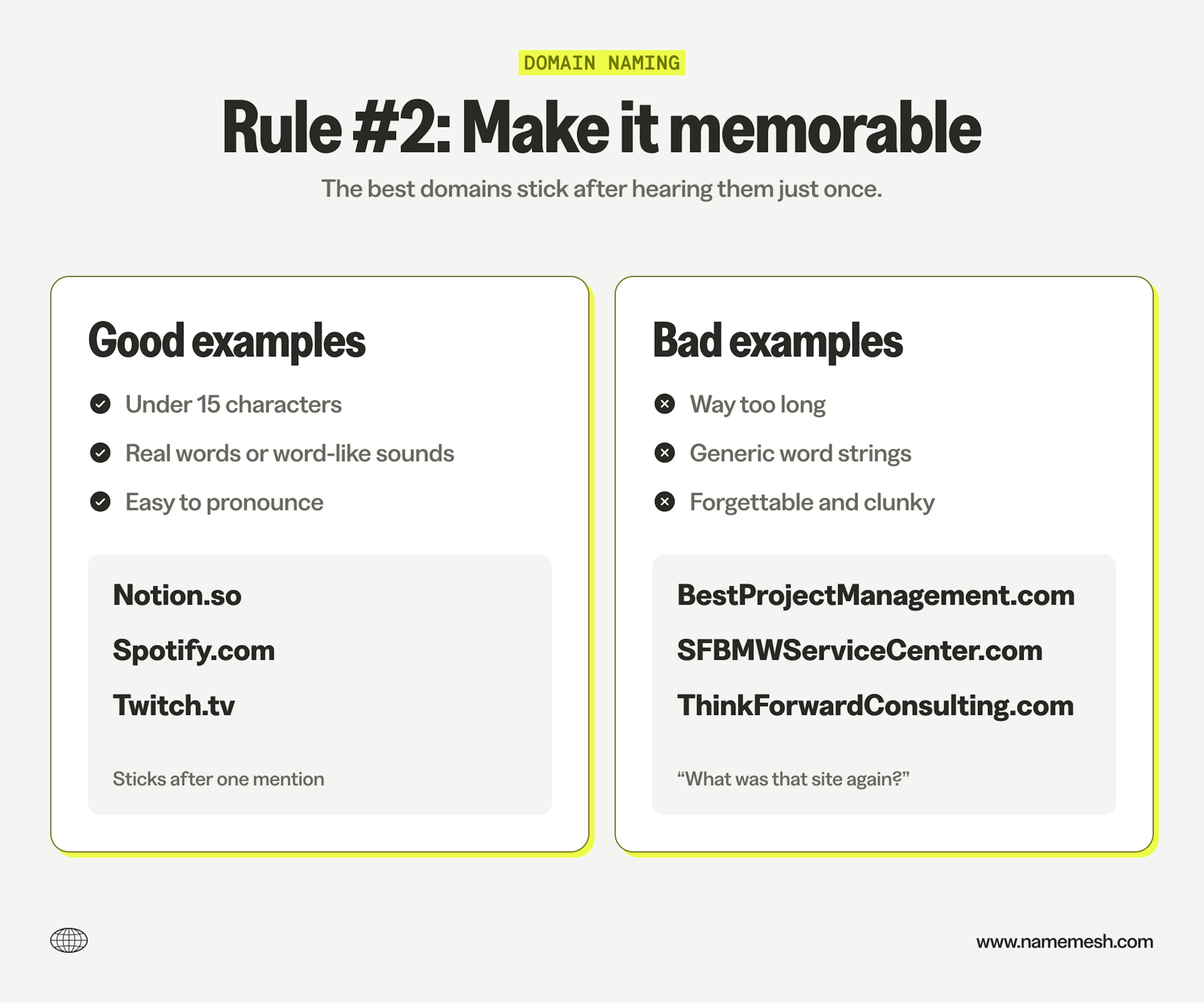
Does it stick after one mention? The best domains are short enough to recall without mental gymnastics. Usually this means one or two words, nothing over 15 characters.
Checklist:
- Stay under 15 characters (my longest domain is 14)
- Use real words or word-like sounds
- Avoid hard to pronounce names or words
Good: Slack.com, Airtable.com, Basecamp.comBad: BestProjectManagementSoftwareOnline.com, ThinkingForwardConsulting.com
Leave room to grow
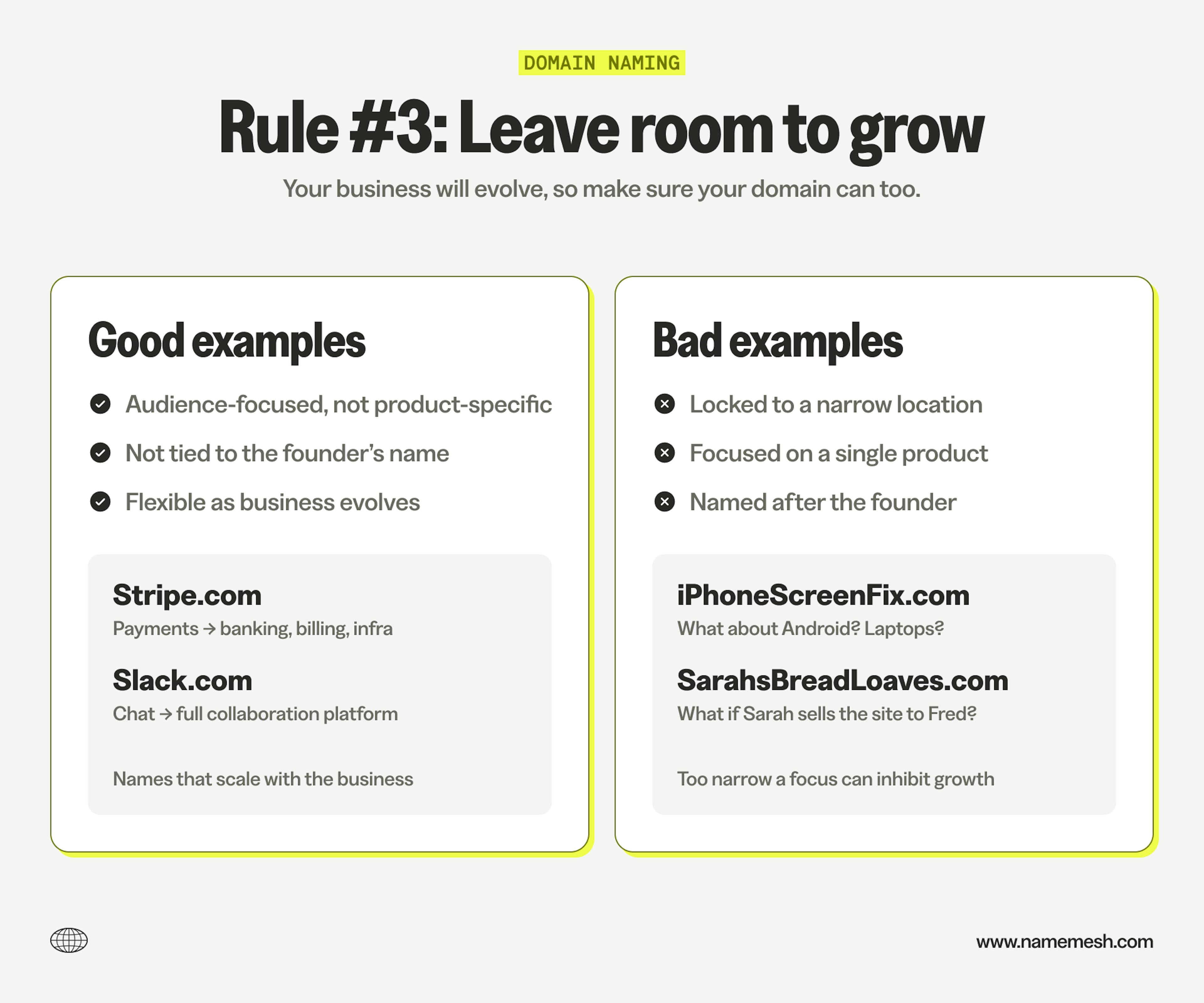
Don’t paint yourself into a corner with an overly specific name. “SarahsBreadLoaves.com” works great until you want to do catering or packaged goods (or sell the business to Fred). A more abstract or flexible name gives you options as your company evolves.
Checklist:
- Audience rather than product specific
- Not tied to the creator (unless it’s a personal brand)
- Flexible enough to grow with your business
Good: Stripe (payments → full financial infrastructure), Slack (chat → platform)
Bad: NYCPlumbingRepair.com, iPhoneScreenFix.com, SarahsBreadLoaves.com
Now, how do you pick from your shortlist?
Once you’ve got a few candidates, you’ll need to evaluate them against your specific situation. What makes a domain “good” for you depends on three things: context, confidence, and cost.
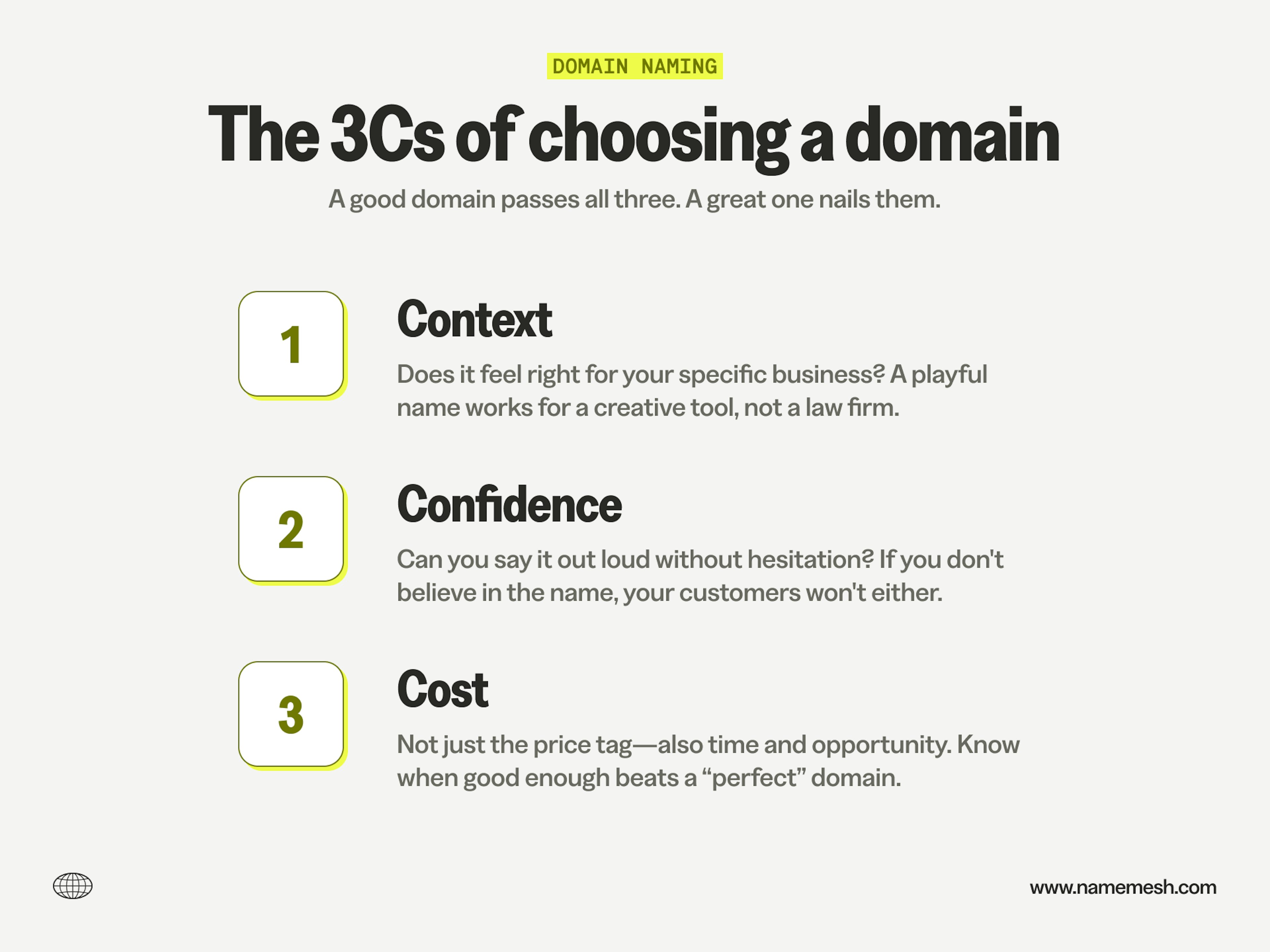
Context means it needs to feel right for your specific business. A playful made-up name might work for a creative tool, but might undermine credibility for a law firm. A keyword-heavy domain could boost local SEO for your laundromat but feel generic if you’re building a consumer brand.
Confidence is the gut check. If you’re not confident saying your domain name out loud, introducing your business with it, telling your mom about it—re-evaluate. You need to believe in the name, because if you don’t, your customers won’t either.
Cost is the reality check—not just what you’ll pay to register the domain, but what it costs you in time and opportunity. Sometimes the “perfect” name is taken or priced at $50k, and you need to know when good enough is actually good enough.
And remember…
There is no perfect name. Google probably felt weird to say at first. Amazon was literally named after a river. Don’t let perfect be the enemy of good (enough)—a solid name you can afford and register beats a perfect name that doesn’t exist.
Brandable vs. keyword-rich: which approach?
This is one of the biggest decisions you’ll make: do you go with a keyword-heavy domain like “SFPlumbing.com” or a brandable name like “Stripe.com”?
The short answer: If you’re building a local service business, a content site, or a marketplace, keyword domains can work. For everything else, go brandable.
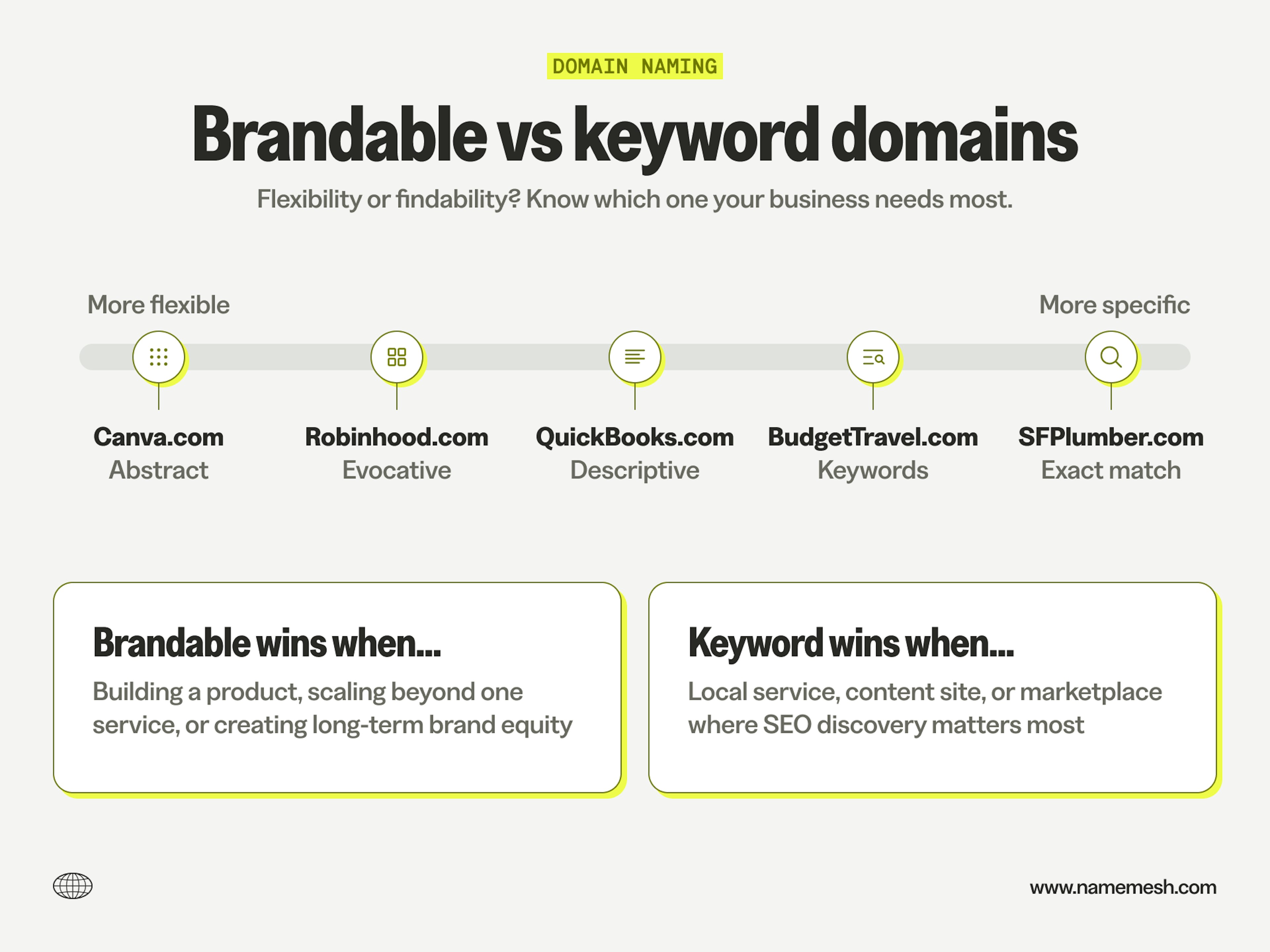
What does “brandable” actually mean? Most people think it means made-up words like Twilio or Zenefits. But real word combinations work too (QuickBooks, Masterworks), as do evocative single words (Notion, Basecamp). What makes them brandable isn’t whether they’re invented—it’s that they’re memorable, flexible, and don’t box you in.
Here’s why brandable wins most of the time: keyword domains used to help with SEO, but Google now prioritizes content quality and user signals over exact-match keywords. In today’s AI-everything landscape, brand is one of the few remaining moats you can actually build.
When keyword domains win
Keyword domains still have a place, but it’s narrow:
- Local service businesses – “MarketStLaundry.com” stands a solid chance in Google Maps and local search results
- Content sites and blogs – “BudgetTravel.com” helps with organic discovery when people aren’t coming back for the brand
- Marketplaces and directories – “Apartments.com” works because the domain is the value proposition
The trade-off? You’re locked in. If Market St. Laundry wants to expand to the next neighborhood, the domain starts working against you.
When brandable names win
In just about every other case, brandable domains are better. And honestly, even for local services, you might want the flexibility to grow beyond one block.
Take Monograph, my last startup. We built project management software for architects and engineers. If we’d gone with “ArchitectTimeTracking.com,” we would’ve been trapped the moment we added invoicing, payments, or project planning.
Instead, “Monograph” (a term in architecture for a milestone compendium of a firm’s built work) gave us room to expand without the domain feeling mismatched. We could grow the product without the name holding us back.
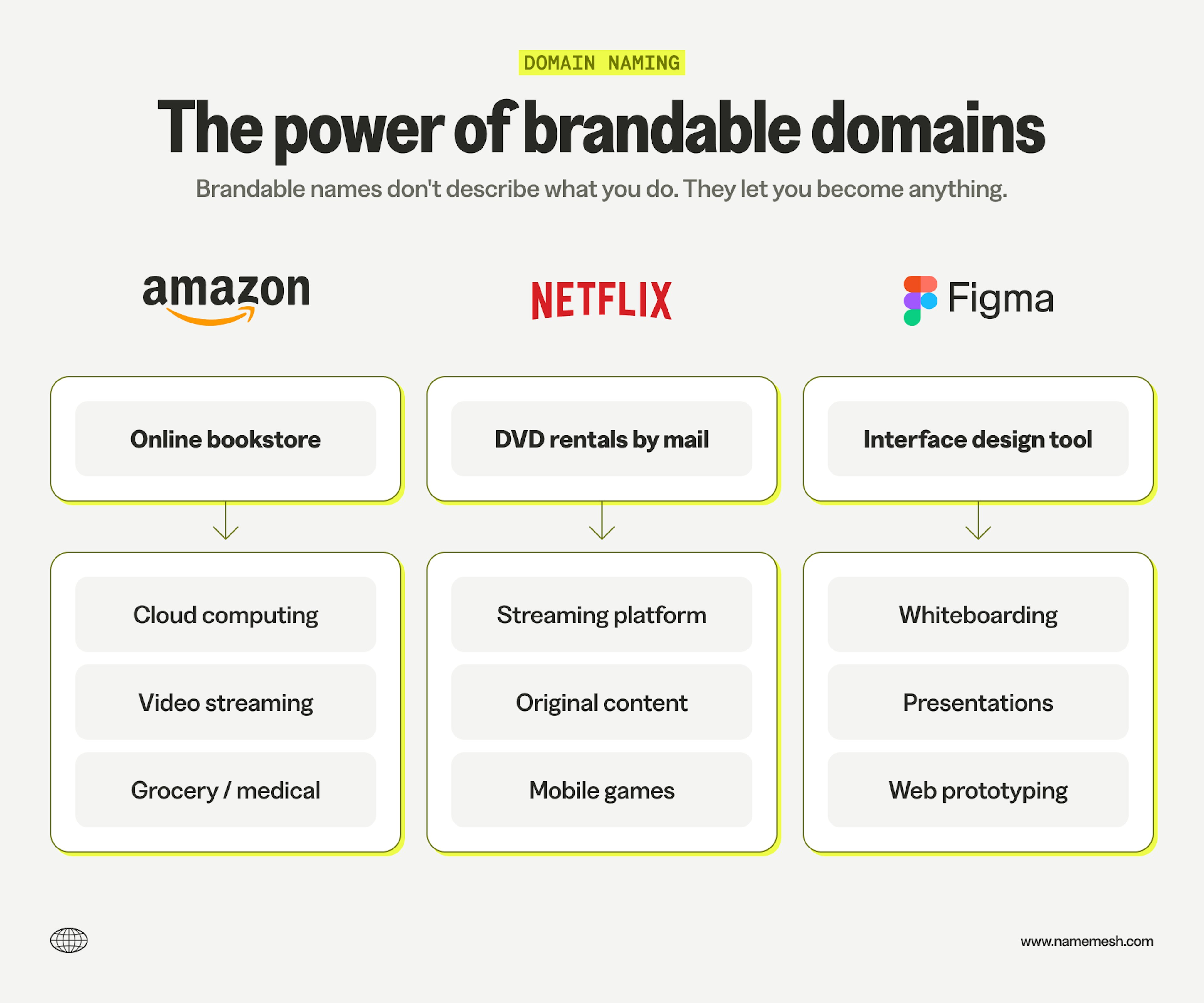
That’s the real advantage of brandable domains: they scale with your business. Stripe started with payments and now does everything from billing to banking. Slack started as team chat and became a platform. Their names didn’t limit them.
Another benefit: you can often find brandable names available (or affordable) when keyword domains are taken or priced in the thousands. More on navigating TLDs and availability in the next section.
The decision framework
Ask yourself:
- Will you serve only one location or offer one service?
- Are you building a one-time-use tool people find through search?
- Do you need the SEO boost more than brand flexibility?
If you answered yes to all three (and I really mean all three), keyword domains might work. Otherwise, go brandable.
Choosing your TLD: When .com matters (and when it doesn’t)
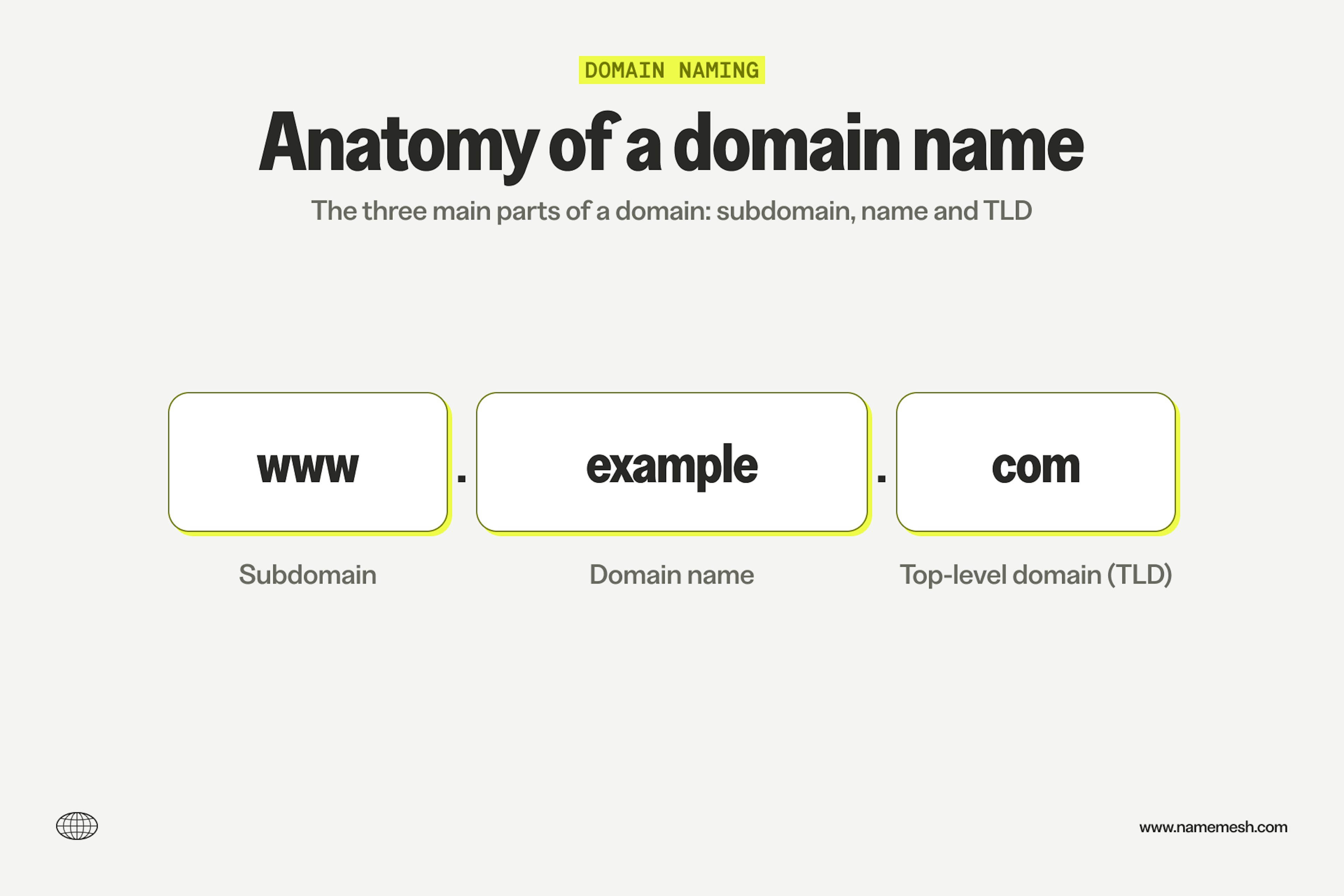
TLD stands for “top level domain”—that’s the “.com” or “.org” part of your domain name (also called the domain extension).
Here’s the reality: there are really two TLDs: .com and everything else.
.com is what people default to typing, what they trust, and what carries the most credibility across industries. It’s the standard.
But here’s the other reality: the .com you want is almost certainly taken.
So you’ve got a decision to make: pay hundreds or thousands of dollars for a premium .com, or find an alternative TLD that works for your business.
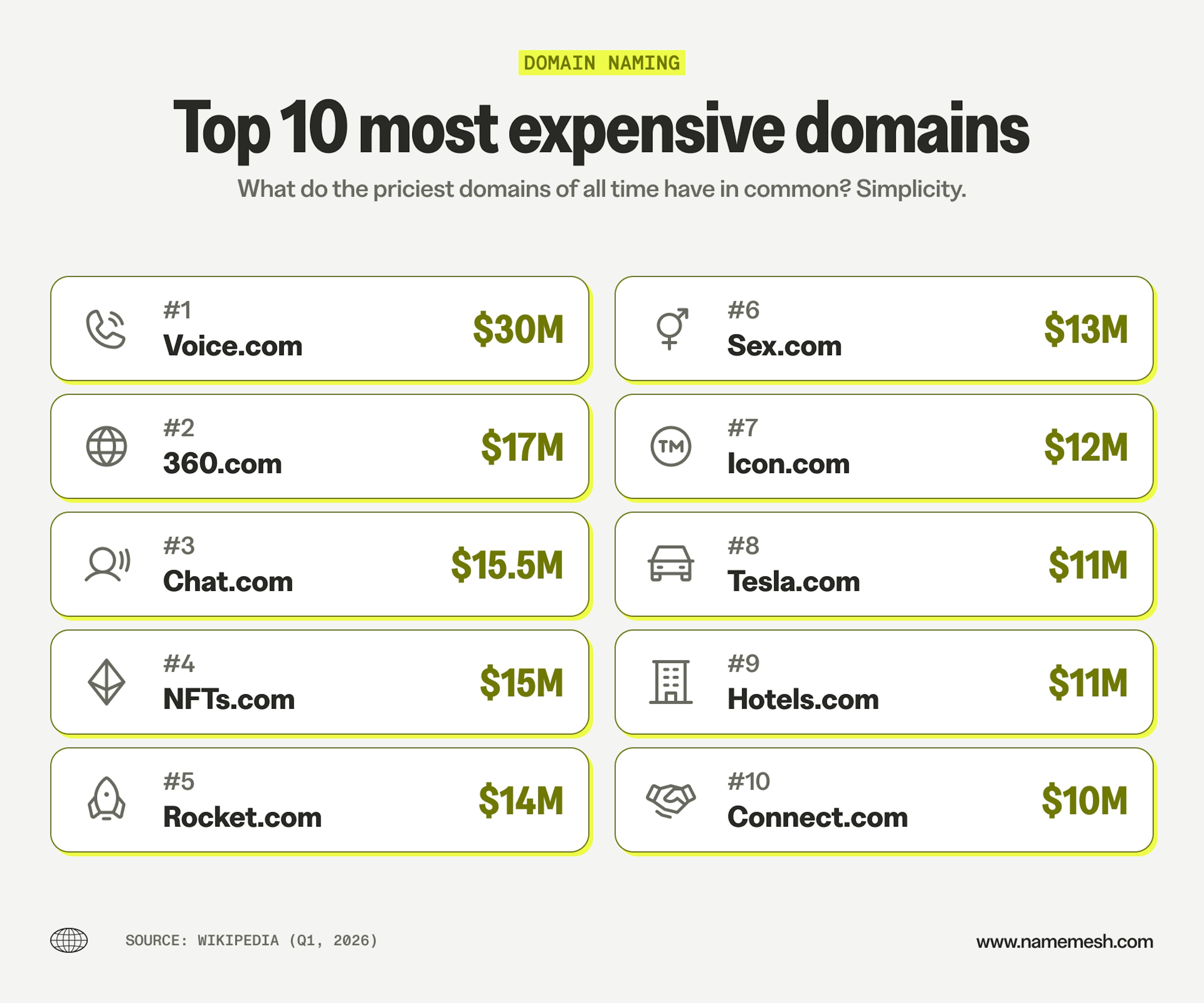
If dropping 3–5 figures on a domain isn’t in the cards right now, option two is perfectly fine—and sometimes even better for positioning.
At my startup, we launched with Monograph.io and only bought the .com later once we’d found product-market fit and had the cash. My recommendation: don’t blow your budget on a domain in year one when you might not make it to year two.
Not all TLDs are created equal
When using a non-.com TLD, context matters. For example, a .ai domain works great for a tech startup, but it looks out of place for a plumbing business.
Here’s how I’d rank the alternatives, in order of preference:
1. Tech TLDs: .io, .ai, .app, .dev, .so
Popular among startups and tech companies, if you’re building software, a SaaS product, or anything developer-focused, these extensions are a good choice. They’re better than generic alternatives and often easier to find available.
2. Generic TLDs: .net, .co, .org
These work across industries. .net and .co are decent fallbacks when .com is taken. .org traditionally signals nonprofits, but can be flexible if the name is strong.
3. New gTLDs: .shop, .design, .guide, .tech, etc.
These can work, but only if your actual brand name is crystal clear and ideally one word. "Canvas.design" works. "CreativeMarketingAgency.design" doesn’t.
4. Country code TLDs: .uk, .eu, .mx, .ca, etc.
Only use these if you’re exclusively targeting that country. They can hurt credibility outside your target market and might confuse international visitors.
The .com question
Should you buy the .com eventually? If you can afford it and you’re building a serious business, yes. It removes confusion, builds trust, and prevents someone else from squatting on it or creating a competing brand.
But don’t let the lack of a .com stop you from launching. In our analysis of YC startups, active companies weren't any more likely to be on .com than their cohort average. Plenty of successful companies started without it (mine included) and either bought it later or never needed it at all.
How to brainstorm domain name ideas
The best place to start is obvious but worth stating: start with your actual business or brand name. If you already know what you’re calling your company, check if that domain is available first. If it’s not, then you start getting creative.
Here’s how to brainstorm effectively:
Word combination techniques
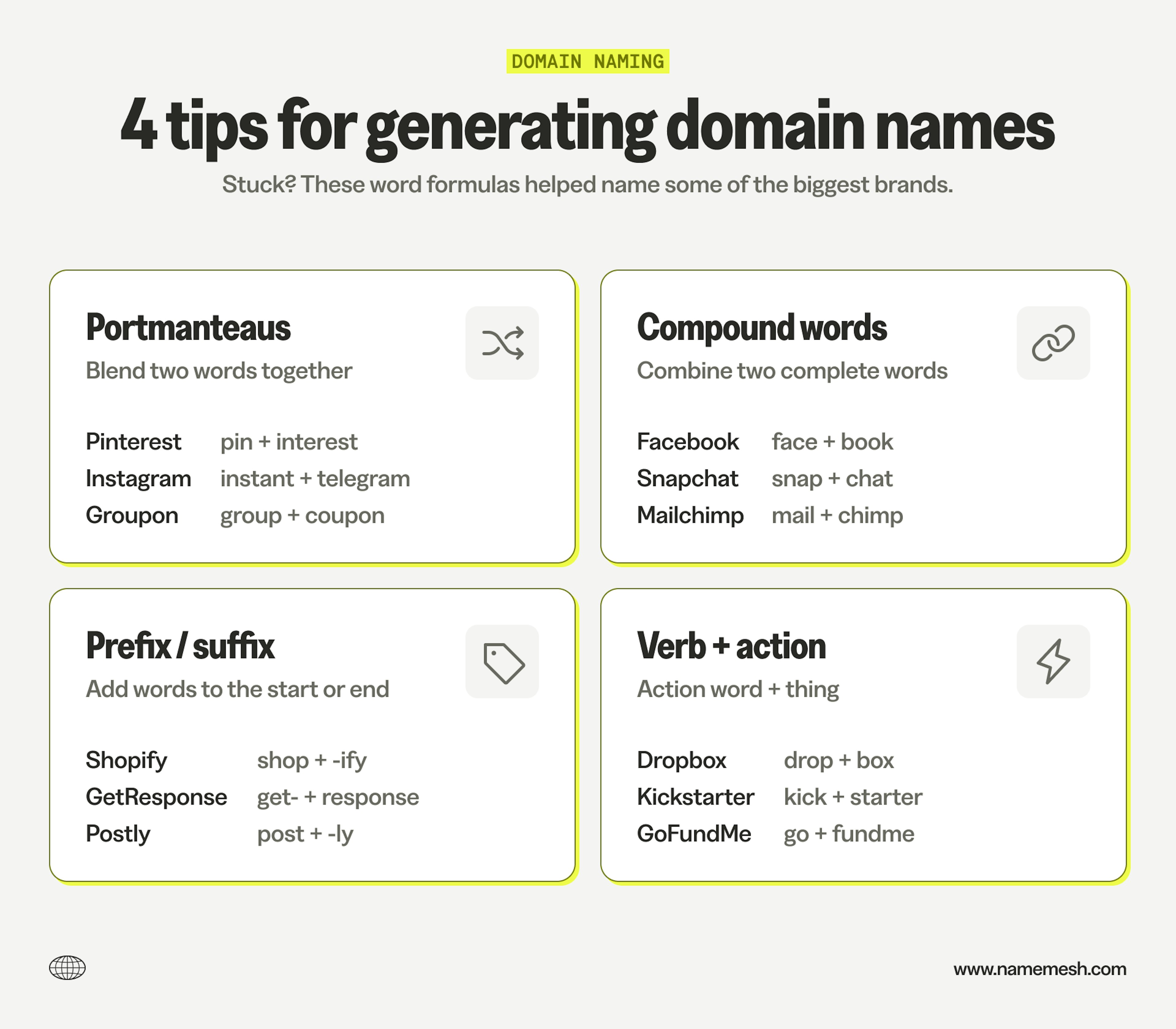
Most memorable brand names use one of these patterns:
- Portmanteaus: Blend two words together: Pinterest (pin + interest), Instagram (instant camera + telegram), Groupon (group + coupon)
- Compound words: Combine two complete words: Facebook, Snapchat, Mailchimp, PayPal
- Word + suffix/prefix: Add common endings or beginnings: Shopify (-ify), Spotify (-ify), Netlify (-ify), Postly (-ly), GetResponse (get-), TryBooking (try-)
- Verb + noun: Action word + thing: Dropbox, Kickstarter, Squarespace, GoFundMe
Using domain generators effectively
Domain generators are useful for sparking ideas and checking availability simultaneously. Most suggestions will be bad—that’s fine. You’re looking for a few promising directions, not the perfect answer.
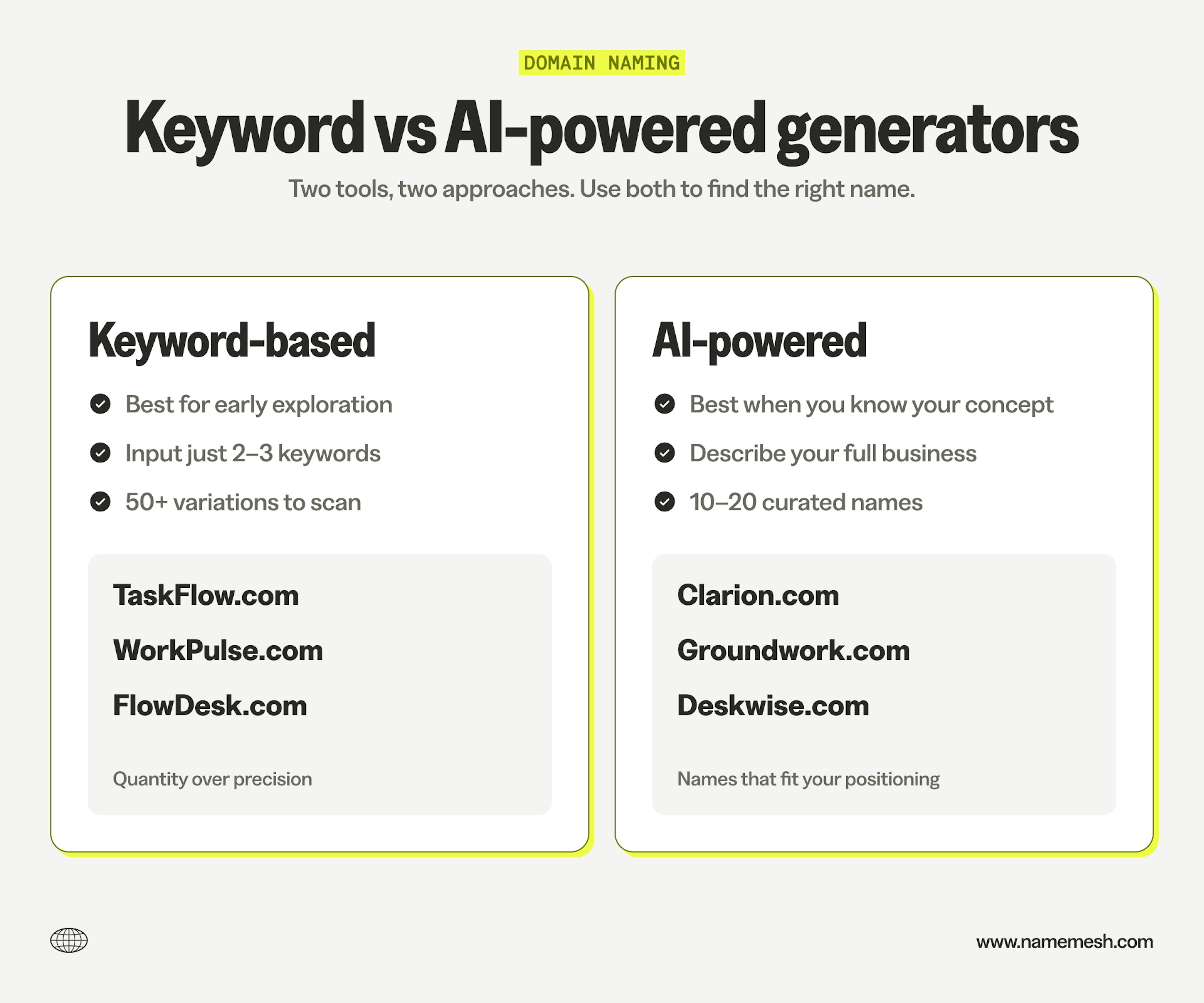
There are generally two types:
Keyword-based generators: Best for early exploration. Input 2–3 words you like, maybe a vibe/style, and scan the results for inspiration.
Example: Channeling a fantasy angle for a reference project, I might input “forge,” “atlas” and “journey” and then scan the 50+ results to see if anything piques my interest.
AI-powered generators: Best when you know your concept. Describe what you’re building, who it’s for, and what makes it different. Get 10–20 curated suggestions that fit your specific positioning instead of generic keyword mash-ups.
Example: “Project management tool for architects focused on time tracking and profitability” generates contextual names, not just “project” + “management” variations. This is how our domain name generator works.
You can also use ChatGPT or Claude with similar prompts, but you’ll still need to run each of the suggestions through a domain name search tool to check availability.
Thesaurus and adjacent words
If your preferred name is taken, don’t just add random words to it. Instead, look for adjacent concepts using a thesaurus or related terms.
Example: If "Swift" is taken, try: Rapid, Quick, Fleet, Velocity, Pace, Rush
This often leads you to better names than “SwiftApp” or “GetSwift” would.
Keep a running list
Don’t try to pick the perfect name in one brainstorming session. Keep a running list of candidates, check their availability, and let them sit for a day or two. Then run each through the same criteria from before:
- Can you say it out loud without spelling it?
- Does it stick after one mention?
- Does it still work if your business evolves?
When to stop brainstorming
Remember, you’re not looking for perfect—you’re looking for good enough + available + affordable. Set yourself a deadline and commit to one of your top options. Don’t let analysis paralysis keep you from launching.
What to do when your ideal domain is taken
You do all the work. You have a plan. And you find your ideal domain is taken. Here are your three options and how to decide which one makes sense in this likely scenario.
1. Find a variation
This is what most people should do. The original is taken, so you adjust.
- Different TLD – YourName.io or .co instead of .com. For tech companies, this works fine. We covered TLDs earlier—remember, context matters.
- Add a prefix/suffix – Get-, Try-, -App, -HQ. Examples: GetResponse, GoCardless, TryNotion (before they bought the .com). Keep it to one added word.
- Slight modification – Use a synonym (Swift → Velocity), shorten into something brandable (Canvas → Canva), or combine words into a portmanteau.
2. Try to buy it
Visit the domain first. If it’s an active website—especially in your industry—skip this option. You’re not getting it, and even if you could, it creates confusion.
If it’s parked, shows “for sale,” or nothing loads, it might be available to purchase. Expect to pay $500 to $50k+ depending on the domain. Premium single-word domains can be six figures.
If you’re pre-revenue or bootstrapped, this probably isn’t realistic. If you have traction and budget, it can be worth it.
3. Start over with a new name
Sometimes a forced pivot leads to something better. Skype dropped the “r” from “Skyper” when the domain existed. eBay’s founder wanted EchoBay.com but shortened it when taken. Reebok’s founders wanted “Mercury” but found it was registered, so they picked "reebok" from a dictionary instead.
Don’t view “taken” as a dead end—it’s a nudge to keep exploring.
The decision
Ask yourself:
- Can I afford to buy it? (Both money and time spent negotiating.)
- Does a variation feel natural, or am I forcing it?
- Would starting fresh actually lead me somewhere better?
Don’t spend more than a week on this. A good domain you can register today beats a perfect domain that costs six months of runway or keeps you stuck in analysis paralysis.
Before you buy: The checklist
Ok, you’ve found a domain you like and it’s available. Here are the checks I run before registering—these are not required, but they’ve saved me from some pricey mistakes and lost time.
Check for trademark conflicts
Search the name on USPTO.gov (for US) or your country’s trademark database. Look for exact matches or similar names in your industry. If there’s a conflict, you might run into legal issues down the line, and have to start from scratch.
Google it (thoroughly)
Search your domain name without the TLD and see what comes up. This is to make sure there aren’t any negative associations or similarly named businesses in your industry with the name you’ve chosen (or a variant).
Verify social handles
Check if the matching handle is available on your preferred network(s). You don’t need an exact match everywhere, but close is helpful. Use Namechk or KnowEm to check multiple platforms quickly.
Check domain history (if buying premium/expired)
If you’re buying from a marketplace or an expired domain, use the Wayback Machine (web.archive.org) to see previous use. Spam sites or shady content can hurt your SEO and email deliverability. Check spam blacklists with MXToolbox.
Sleep on it
Let it sit overnight. If you still like it in the morning and it passes these checks, buy it. If you’re hesitating, listen to your gut.
Where to register
When you’ve landed on a name (congrats!) you’ll need to pick a registrar, i.e. a company to register the domain.
My recommendation: Namecheap. Why? Transparent pricing and free WHOIS privacy.
However, if you already own a domain (or twelve) at another registrar, go with them. You’ll be less likely to forget to renew your domains that way.
No matter who you choose, keep these in mind:
- Watch out for pricing tricks: many registrars will advertise a low first year registration ($2–5) but then charge you up to $15-20 for the renewal.
- Get domain privacy: always enable WHOIS privacy (most registrars offer it for free). It protects your contact info from becoming public and searchable.
- Enable auto-renewal: turn on auto-renewal so you don’t lose your domain if you forget to renew. Domains can be snatched up within hours of expiring.